List of apps I use every day - Version 2026
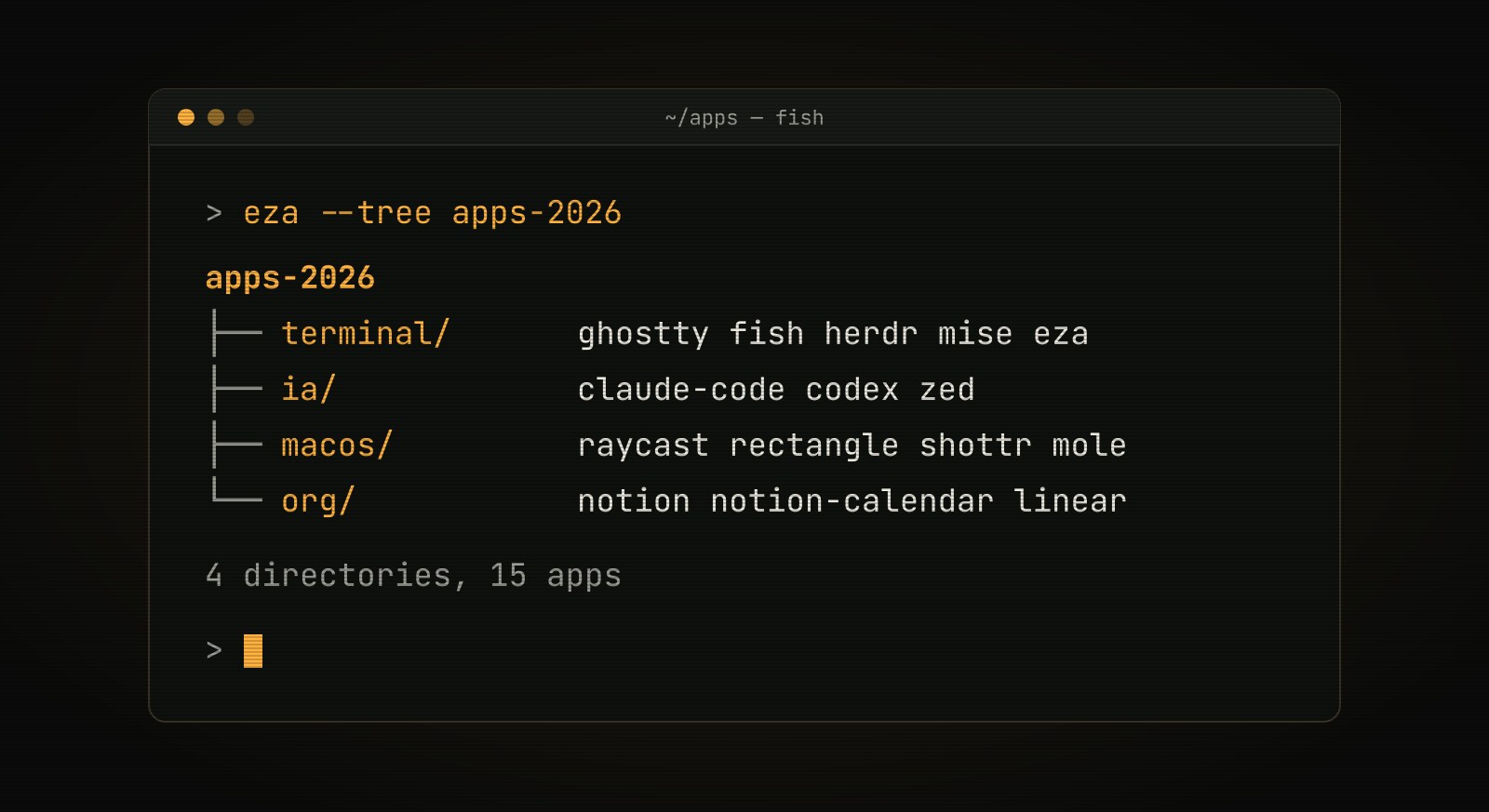
In 2023 I published the first version of this list and promised to update it every year. Well, that promise ran a little late :) But the delay has an upside: it makes it easier to see what changed. Some apps are still going strong, others were replaced by better alternatives, and a whole new category showed up in the meantime: AI tools for writing code.
This time I decided to group the apps by theme, since a good part of my day now happens in the terminal.
Terminal & CLI
-
Ghostty (replaced iTerm2): After years with iTerm2, I moved to Ghostty. It is noticeably faster and the configuration is much simpler: everything lives in a single text file, easy to version alongside the dotfiles.
-
fish (still here): Still my shell. Fast, with great autocompletion and no plugins needed. Along with it I still use a few CLI utilities: delta, ripgrep and eza, which replaced exa: the original project is no longer maintained and eza is the community-maintained fork. My dotfiles for fish are still in the same place.
-
herdr (new): A terminal multiplexer built for working with AI agents. I use it to manage my terminal sessions and harnesses: a sidebar shows which agents are working, which are done and which are waiting for my input.
-
mise (new): Manages language and tool versions both on my machine and per project. A
mise.tomlfile in the repository is enough for everyone to use the same versions of Go, Node, Python and so on.
Development & AI
-
Zed (still here): In 2023 I was trying it out; today it is, in my opinion, the best editor available. The main reason is that it kept up really well with the evolution of AI for building code, without losing the lightness and speed that made me try it in the first place.
-
Claude Code and Codex (new): My default harnesses for working with AI agents straight from the terminal: planning, implementing, reviewing code and automating everyday tasks.
-
Claude and ChatGPT (new): My favorite LLMs for chatting, researching, reviewing texts and answering questions outside the coding context.
macOS & Productivity
-
Raycast (replaced Alfred): I swapped Alfred for Raycast because it is more modern and comes with many more features out of the box, such as clipboard history, snippets and window management. It also has a wide range of extensions and keeps up well with AI features.
-
Rectangle (still here): Still a lifesaver for organizing windows, especially with 2 monitors.
-
Shottr (still here): Still my screenshot tool: lightweight and with more features than the native macOS one.
-
CopyClip (still here): A simple clipboard history that stays out of the way.
-
Mole (new): A command-line tool for macOS maintenance. I use it to clean caches and temporary files and to analyze what is taking up disk space (
mo analyze). -
Browser (Arc is out): I stopped using Arc. Today I switch between Chrome and Firefox, and I recently started trying Dia, the new browser from the same company behind Arc.
Organization
-
Notion (still here): Still where I organize my studies, notes and my brag document. Speaking of which, I recently built brag-cli to log achievements right from the terminal.
-
Notion Calendar (still here, formerly Cron): Cron was acquired by Notion and became Notion Calendar. I still use it, now with the bonus of integration with Notion pages.
-
Linear (new): I use it to manage projects and tasks. It is fast, full of keyboard shortcuts and integrates well with GitHub and with AI agents.
Wrapping up
Looking back at the 2023 list, the biggest change was not swapping one app for another, but how much AI changed the way I work. Today a good part of my time goes into planning, reviewing and orchestrating agents, and the tools I picked (Ghostty, herdr, Zed, Claude Code and Codex) reflect that.
What about you, which apps can’t be missing from your day? If you have any suggestions, let me know!